
Digital Signage for Hospitals and Clinics: Calmer Waits, Clearer Wayfinding
How hospitals, clinics and pharmacies use digital signage for wayfinding, waiting rooms, queue updates and staff messaging — and what to plan first.
On this page
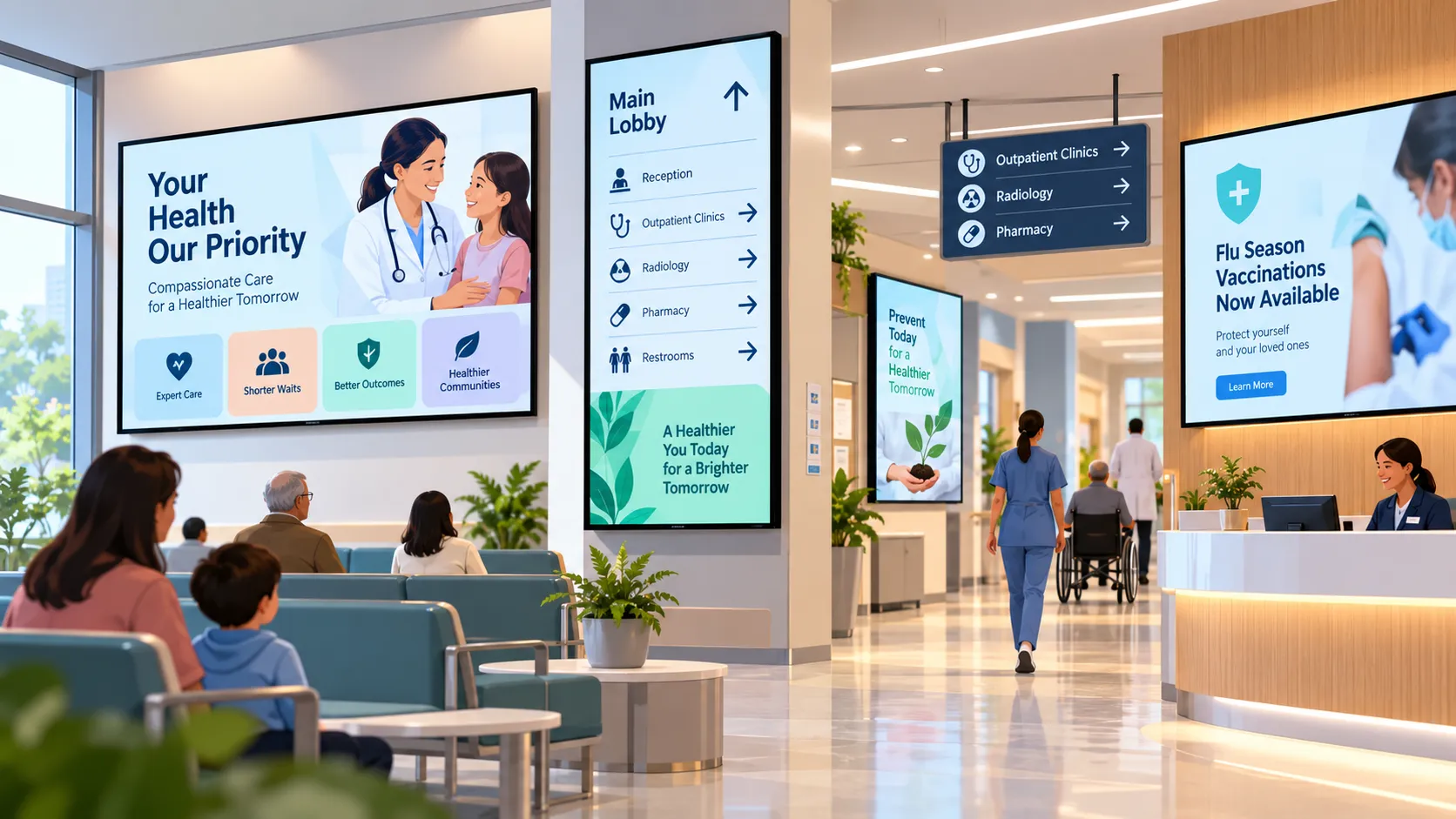
Digital signage in a hospital or clinic is a network of screens that shows directions, waiting-room information, queue updates and announcements, managed centrally from software. Its job is simple: fewer lost visitors, less anxious waiting, and faster ways to tell everyone something important.
Three audiences, three kinds of content
Healthcare buildings serve people with very different needs:
- Patients want to know where to go, how long they’ll wait and what happens next.
- Visitors want visiting hours, ward locations, parking and facilities.
- Staff want shift updates, safety notices, training reminders and recognition.
Plan content per audience and per location. A screen in the main entrance and a screen in a staff corridor should never be running the same playlist.
Where screens make the biggest difference
Entrances and junctions — wayfinding
Hospitals are hard to navigate and printed directories go out of date as departments move. A digital wayfinding screen at the entrance and at key junctions can show departments by floor, accessible routes and temporary closures — updated once, everywhere.
Waiting rooms — information that lowers anxiety
Uncertainty is what makes waiting stressful. Waiting-room screens can show how to check in, current queue status, facilities nearby and short health-education loops. Keep the practical information on screen at all times and rotate the educational content around it.
Pharmacies — service and advice
Pharmacy screens can explain services, seasonal health campaigns and opening hours, and reduce the number of repeat questions at the counter.
Staff areas — internal communication
Clinical staff rarely sit at a desk. Screens in staff rooms and corridors put rota changes, safety alerts and training reminders where people actually are. See how Loopvew supports internal communications.
Urgent messages
When something changes — a lift out of service, a closed entrance, a public-health notice — screens must switch from routine content fast. Build a ready-to-publish alert playlist in advance so it takes one action to put it live across a group of screens. Loopvew supports emergency alert content alongside regular schedules.
What to plan before you install
- Map placements to journeys. Entrance, junctions, lifts, waiting areas, pharmacy, staff rooms.
- Decide who owns which screens. Group screens by department so a waiting-room update never lands on a wayfinding screen.
- Choose a deployment model. Cloud is fastest to roll out; on-premise keeps the whole system on your own network for stricter IT policies.
- Test reliability. Confirm offline playback, automatic restart after power loss and remote monitoring before you scale.
- Keep audio in check. Most clinical areas should be silent; captions carry the message.
Content rules for clinical spaces
- Large, high-contrast text — many readers are stressed, unwell or have low vision.
- One message per slide, with a clear action (“Check in at desk B”).
- Plain language, avoiding clinical jargon.
- Calm motion — slow transitions, no flashing effects.
Getting started
Most hospitals pilot with one waiting area and the main entrance, then expand floor by floor. Read more about Loopvew for healthcare, or talk to us about a pilot.
Written by the Loopvew TeamThe people who build and support Loopvew's digital signage CMS and players. About Loopvew
Frequently asked questions
Keep reading.
More from the blog, picked by topic.

Digital Menu Boards: A Practical Guide for Restaurants and Cafés
How digital menu boards work, what they cost to run, how to plan screens and dayparts, and the layout rules that help guests order faster and spend more.
Retail Digital Signage: Where to Place Screens and What to Show
Where to place retail digital signage, what to show at each spot, and how store chains keep every location on-brand from one dashboard.

Office Digital Signage: A Playbook for Internal Communications
How offices use digital signage for internal communications — what to show in lobbies, kitchens and shop floors, and how to keep screens worth watching.