
Loopvew Documentation
Set up Loopvew, install a player app on any screen, and publish your first playlist — the complete guide to the Loopvew digital signage CMS.
Loopvew is a cloud CMS for dynamic digital signage — it turns any screen into a managed display. Register a device, build a playlist, schedule it, and publish to one screen or a thousand.
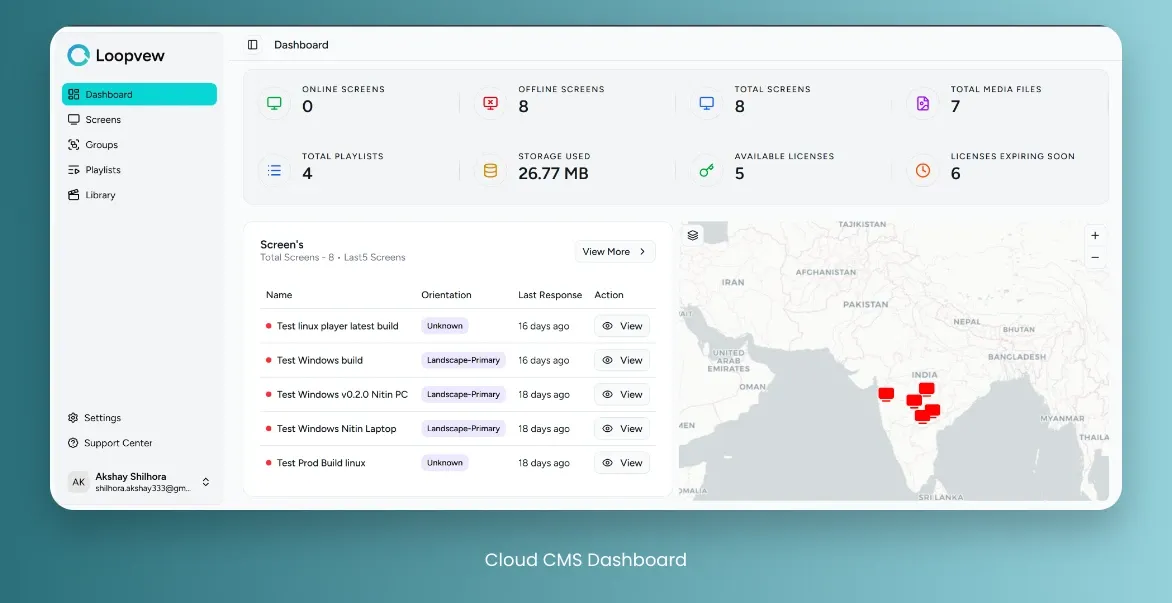
Get your first screen live
Create an account
Sign up for the Loopvew CMS and open the dashboard.
Install the player
Install the Loopvew player app on your display or media player. See Player apps for per-platform instructions.
Pair the screen
Register the device in the CMS with the pairing code shown on the display. See Screens.
Upload your content
Add images and video to the Library.
Explore the CMS
Dashboard
Your at-a-glance view of screen health, playback, and recent activity.
Screens
Register, pair, schedule, and monitor individual displays.
Groups
Bundle screens so one publish reaches many displays at once.
Playlists
Sequence media, set durations, and publish on a schedule.
Library
Upload and organise the images and video your playlists draw from.
Settings
Account, appearance, and workspace preferences.
Support Center
Raise a ticket and track its status.
Download player apps
Install the Loopvew player on Android, Windows, Linux, Tizen, or webOS.