
Video Walls and Multi-Zone Layouts: A Guide to Bigger, Busier Screens
When to choose a video wall over one large screen, how multi-zone layouts split a screen into content areas, and how to plan hardware and content.
On this page
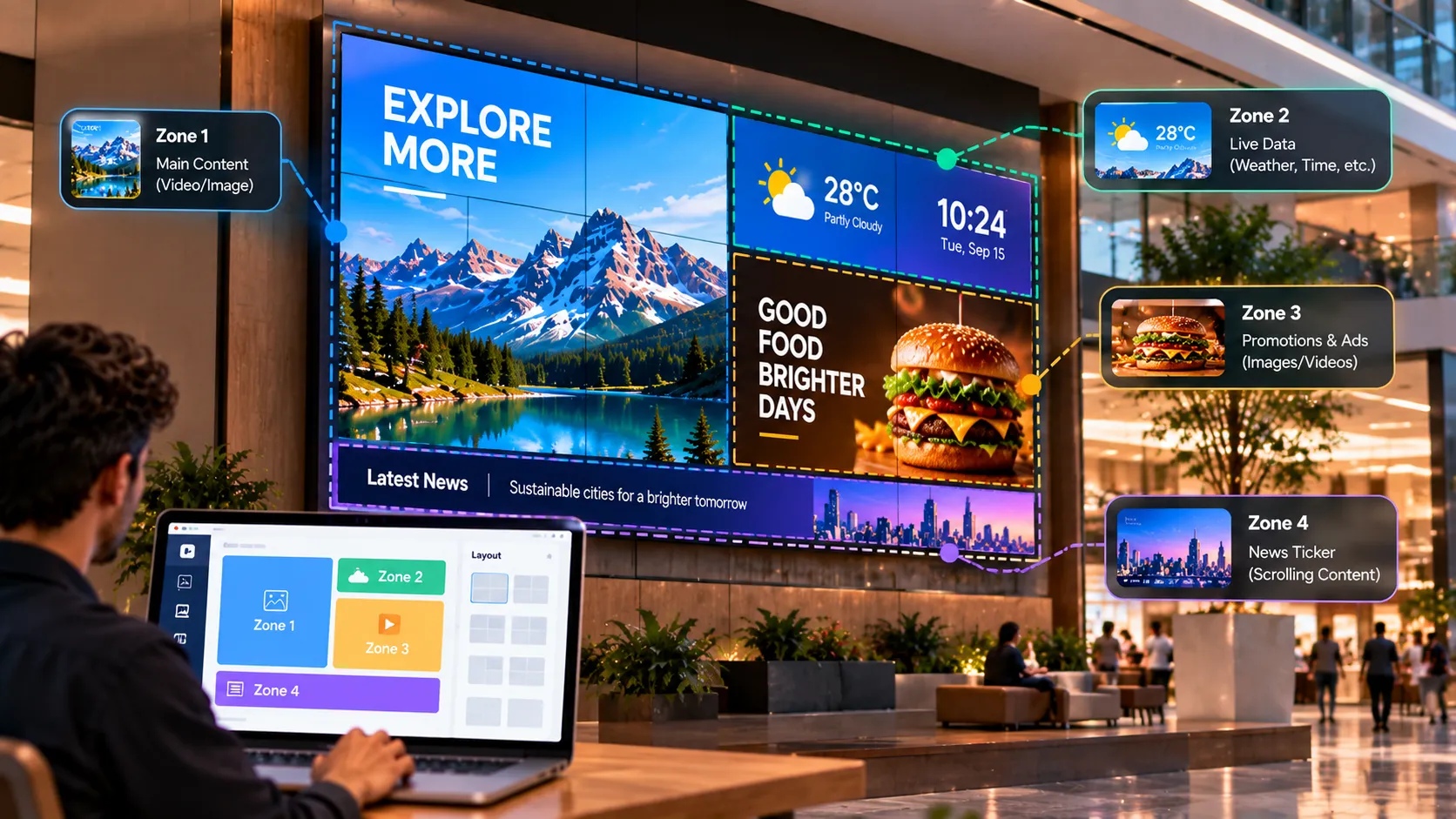
A video wall joins several displays into one large canvas. A multi-zone layout does the opposite — it splits one screen into several content areas. Both help one location say more, but they solve different problems.
Video wall or one big screen?
| Single large screen | Video wall | |
|---|---|---|
| Size | Up to the largest available panel | Effectively unlimited |
| Seams | None | Thin bezels between panels |
| Cost | Lower | Higher — more panels, mounting, setup |
| Setup | Simple | Needs calibration and alignment |
| Best for | Most lobbies and stores | Flagships, atriums, control rooms, events |
If a single large display is big enough for the viewing distance, it is usually the simpler choice. Choose a video wall when you need a canvas bigger than any single panel, or an unusual shape.
Planning a video wall
- Choose narrow-bezel panels designed for walls, so seams don’t cut through faces and text.
- Match every panel — same model, same batch where possible, for consistent colour.
- Design for the whole canvas. Create content at the wall’s full combined resolution, and keep text away from seams.
- Plan the player. Walls often need more processing; Windows players are a common choice for demanding walls.
- Pilot before you mount. Test playback, synchronisation and your content on the actual hardware.
Read more on video walls.
Multi-zone layouts
A multi-zone layout lets one screen carry several streams of information without cramming them into one slide.
Common layouts
- Main zone + bottom ticker — video or promotions above, scrolling news or announcements below.
- Main zone + side panel — content on the left, clock, date and weather on the right.
- L-shape — main content with a side panel and a bottom ticker.
- Split screen — two equal zones, such as a menu beside a promotion.
Rules for zones
- Few zones. Two or three is plenty. More zones means smaller content, and signage is read from a distance.
- One main zone. It should clearly own the screen; the others support it.
- Motion in one place. If the main zone has video, keep side zones calm.
- Live content suits small zones. A news ticker, weather or clock updates itself and fits well at the edge.
Content tips for both
- Export at the exact resolution of the canvas or zone.
- Check readability from the furthest viewing point.
- Keep the combined loop varied — rotate the main zone while the ticker and clock stay live.
Getting started
Start with a two-zone layout — main content plus a ticker — on one screen, then expand once you’ve seen how people read it. For bigger statements, pilot a wall on a small scale before committing to a full install. Our screen size guide helps you decide how big to go.
Written by the Loopvew TeamThe people who build and support Loopvew's digital signage CMS and players. About Loopvew
Frequently asked questions
Keep reading.
More from the guides, picked by topic.
Designing Digital Signage Content: Layout, Type and the 3-Second Rule
Design rules for digital signage content — the 3-second rule, type size, contrast, layout, motion, video length and file formats that play smoothly.
Screen Size, Resolution and Viewing Distance for Digital Signage
How to choose the right screen size, resolution, brightness and orientation for digital signage, using viewing distance and the room you're installing in.
The Complete Guide to Playlists and Scheduling in Digital Signage
How digital signage playlists and schedules work — building playlists, setting durations, dayparting, publishing to groups and covering schedule gaps.