
Dashboard
The Loopvew dashboard gives you an at-a-glance view of screen health, active playlists, and recent activity across your whole fleet.
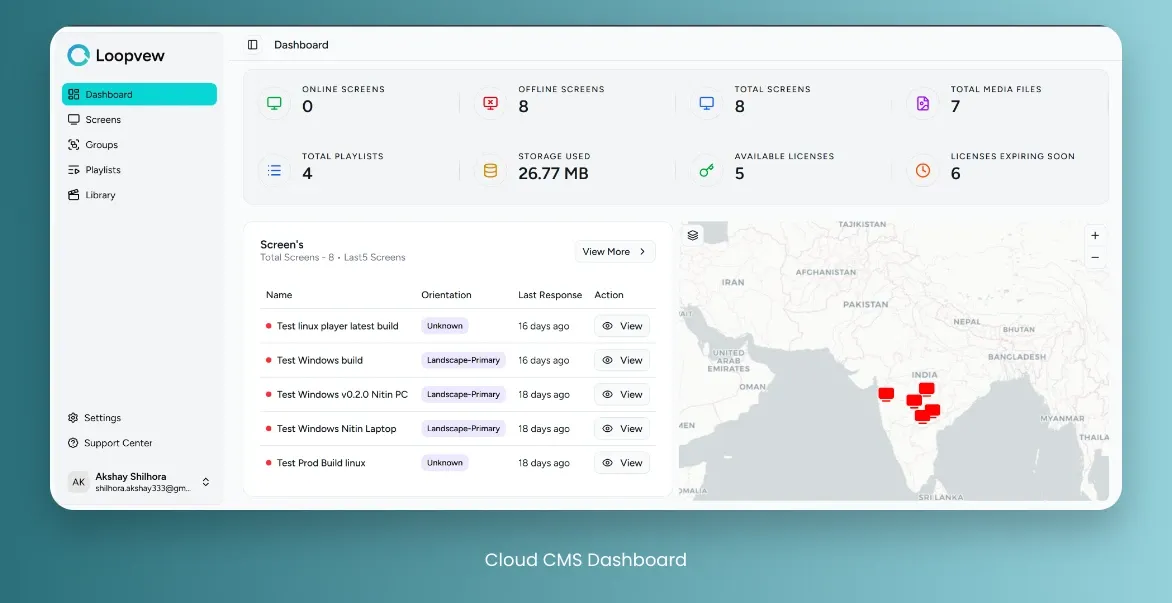
On dashboard you can see following details:
- Online screens: Screens that are currently connected to server.
- Offline screens: Screens that are not connected to server.
- Total screens: Total number of registered screens.
- Total media files: Total number of media files.
- Storage used: Total storage used by media files.
- Total Playlists: Total number of playlists.
- Available licenses: Total number of licenses available.
- Licenses expiring Soon: Screens that will be expiring in next 30 days.
- Last 5 connected screens: Last 5 screens that connected to server.
- Map: Shows location of screens and their status in different colors.